Office dirty spots are high-contamination areas that harbor bacterial concentrations 400 times greater than those on toilet seats. Desktop surfaces, computer keyboards, break room appliances, and shared touchpoints accumulate harmful pathogens from hundreds of daily contact points. Identifying and sanitizing office dirty spots reduces employee sick days by 30-40% while maintaining professional workplace standards.
What Are Office Dirty Spots?
Office dirty spots are workplace surfaces and equipment accumulating harmful bacterial, viral, and fungal contamination through frequent human contact and insufficient cleaning protocols. These contamination zones develop when multiple employees touch shared surfaces, depositing skin cells, respiratory droplets, food particles, and environmental debris. Office dirty spots differ from obviously dirty areas by appearing clean while harboring dangerous pathogen concentrations requiring professional sanitization.
Why Office Dirty Spots Matter for Workplace Health
Unaddressed office dirty spots create significant health and productivity risks affecting entire workforces. Studies demonstrate office desk surfaces harbor 400 times more bacteria than typical toilet seats despite receiving minimal daily cleaning attention. Computer keyboards contain 20,000 times more germs than sanitized restroom fixtures from constant finger contact, transferring oils, dead skin cells, and respiratory secretions. These office dirty spots transmit influenza, norovirus, strep throat, and cold viruses between coworkers, reducing workforce productivity through illness-related absenteeism.
The economic impact of contaminated office dirty spots extends beyond the obvious sick day costs. Professional office cleaning services report that businesses maintaining comprehensive sanitation protocols experience 30-40% fewer illness-related productivity losses. Employees working in contaminated environments suffer concentration difficulties, headaches, and respiratory irritation from airborne particles and surface bacteria, even without developing acute illnesses. These subclinical effects reduce work quality and efficiency throughout office populations.
Office dirty spots also damage professional reputation when clients and visitors observe visible contamination or experience unpleasant odors. First impressions form within 30 seconds of entering business facilities, with cleanliness signaling organizational competence and attention to detail. Dirty keyboards, stained break room surfaces, and malodorous common areas communicate low standards regardless of actual business excellence.
The following table compares bacterial contamination levels across common office dirty spots:
| Office Surface | Bacteria Per Square Inch | Comparison to Toilet Seat | Primary Contamination Sources | Health Risk Level |
| Desktop surface | 20,961 | 400x higher | Hands, food, sneezing | High |
| Computer keyboard | 3,295,000 | 20,000x higher | Fingers, saliva, dead skin | Very High |
| Computer mouse | 1,676,000 | 10,000x higher | Hand contact, palm sweat | Very High |
| Coffee maker reservoir | Variable (50% contain mold) | N/A (fungal growth) | Standing water, organic residue | High |
| Microwave door handle | 29,421 | 560x higher | Unwashed hands, food particles | High |
| Office doorknobs | 8,643 | 165x higher | Multiple daily contacts | Moderate-High |
These data demonstrate how overlooked office dirty spots concentrate contamination far exceeding obviously dirty bathroom surfaces receiving regular sanitation attention.
Desktop Surfaces: The Dirtiest Office Spot
Desktop work surfaces represent the most contaminated office dirty spots, accumulating bacteria from eight hours of continuous human activity. Workers eat lunch at desks, introducing food particles that provide bacterial nutrition. Conversations deposit respiratory droplets containing viral and bacterial pathogens. Hands transfer bacteria from doorknobs, elevator buttons, and restroom surfaces directly to keyboard interfaces and desk areas. Colleagues visiting workstations leave additional bacterial deposits through papers, documents, and casual surface contact.
The bacterial ecosystem developing on office dirty spots like desktops creates ideal multiplication conditions. Room temperature environments ranging from 68-74°F support rapid bacterial reproduction. Organic matter from skin cells, food crumbs, and beverage residues provides nutrients sustaining bacterial populations. Moisture from drinks, hand contact, and environmental humidity prevents desiccation, allowing bacteria to thrive rather than dying from dehydration.
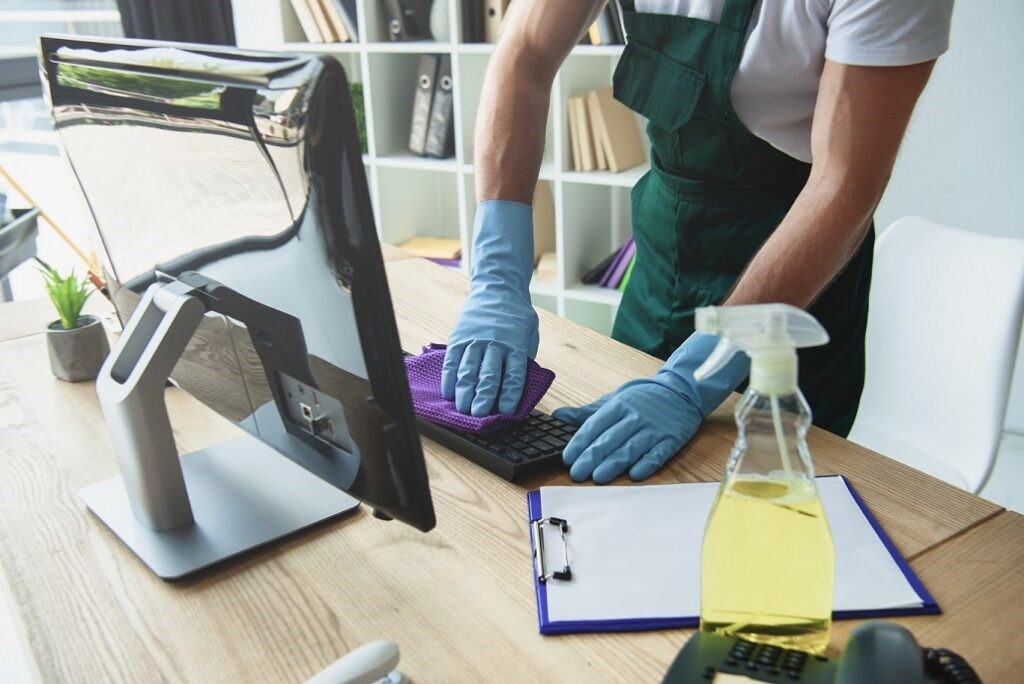
Professional cleaning protocols for office environments recommend daily desktop sanitization using EPA-registered disinfectants with appropriate contact times. Surface materials require specific cleaning solutions, preventing damage while achieving pathogen kill rates. Wood veneer desks need gentle pH-neutral cleaners, avoiding finish deterioration. Laminate and melamine surfaces tolerate stronger disinfectants, achieving 99.9% bacteria elimination. Glass desk surfaces require streak-free cleaning solutions, maintaining professional appearance alongside sanitization.
Effective desktop cleaning addresses multiple contamination layers beyond visible dirt. Daily dusting removes surface particles and dried residues. Weekly detailed cleaning extracts grime from desk accessory contact points, including pen holders, document trays, and cable management areas. Monthly deep cleaning addresses overlooked zones beneath monitors, keyboard platforms, and desktop equipment where dust and debris accumulate unnoticed.
Computer Keyboards and Mice: Bacterial Breeding Grounds
Computer peripherals represent the most severely contaminated office dirty spots based on per-square-inch bacterial counts. Keyboard keys create trapped spaces between buttons where crumbs, dust, hair, and skin cells accumulate beyond visible detection. Typing actions deposit oils, sweat, and dead skin cells with each key press. Eating at desks introduces food particles directly into keyboard mechanisms. These organic materials support bacterial colonies multiplying in warm, moist conditions between keys.
The following factors intensify keyboard contamination, making these office dirty spots particularly dangerous:
- Continuous Contact: Eight hours daily of finger contact transfers bacteria from hands to keys, constantly refreshing contamination levels.
- Difficult Cleaning Access: Narrow gaps between keys prevent effective cleaning tool penetratio,n allowing debris accumulation over months or years.
- Moisture Retention: Humidity and hand perspiration create damp conditions supporting bacterial and fungal growth in keyboard mechanisms.
- Shared Usage: Hot-desking and shared workstations multiply contamination sources as different individuals deposit unique bacterial populations.
These conditions create perfect breeding environments for office dirty spots requiring specialized cleaning approaches beyond standard dusting.
Computer mice experience similar contamination patterns with palm rest areas accumulating sweat, oils, and skin cells. Scroll wheels and button mechanisms trap debris from continuous finger manipulation. Right-handed users create asymmetric contamination patterns with dominant hand bacteria concentrating on the right mouse button surfaces. Optical sensors collect dust, affecting device functionality while harboring additional microbial populations.
Professional keyboard and mouse sanitization requires specialized techniques that protect electronic components while achieving disinfection. Compressed air removes loose debris from keyboard mechanisms without liquid contact, risking short circuits. Isopropyl alcohol solutions (70% concentration) disinfect surfaces through rapid evaporation, preventing moisture damage. Microfiber cloths prevent fiber shedding and surface scratching during cleaning procedures. UV-C sanitization devices eliminate bacteria and viruses without chemical exposure or moisture introduction.
Break Room and Kitchen Office Dirty Spots
Communal food preparation areas contain the most diverse office dirty spots, combining high-touch surfaces with organic contamination and moisture accumulation. Coffee makers represent particularly dangerous contamination sources, with studies finding 50% of office coffee machine water reservoirs harbor mold or yeast growth. Standing water in reservoirs provides ideal fungal growth conditions. Organic residues from coffee oils feed microbial populations. Warm temperatures from brewing cycles accelerate multiplication rates.
Coffee pot contamination develops from minimal cleaning protocols focusing on rinsing rather than sanitization. Break room cleaning procedures require daily carafe washing with hot soapy water, removing oil films and residue buildup. Weekly deep cleaning addresses water reservoir interiors using vinegar solutions, dissolving mineral deposits, and killing mold spores. Monthly descaling prevents buildup affecting machine function while eliminating bacterial hiding places.
Microwave appliances accumulate dangerous office dirty spots from continuous high-traffic usage without corresponding cleaning attention. Door handles receive dozens of daily touches from multiple users, depositing hand bacteria. Control panel buttons collect finger oils and food particles from rushed employees transitioning between food handling and microwave operation. Interior surfaces accumulate splattered food residues, creating nutrient-rich bacterial growth environments. The following contamination cycle develops:
- Food Heating: Employees heat meals without covering containers, allowing splatter to coat interior surfaces.
- Bacterial Seeding: Food particles contain bacteria multiplying in warm, moist post-heating conditions.
- Cross-Contamination: Subsequent users touch contaminated handles and buttons, transferring bacteria to their hands and food containers.
- Odor Development: Decomposing organic matter creates persistent unpleasant smells, indicating advanced bacterial growth.
These office dirty spots require daily wipe-down protocols using disinfectant solutions appropriate for food-contact surfaces.
Refrigerator handle contamination represents another frequently overlooked office dirty spot. Multiple daily touches from employees retrieving lunches and beverages concentrate bacteria. Users often access refrigerators after bathroom visits, outdoor activities, or other contamination exposure without hand washing. Refrigerator interior surfaces develop mold growth from forgotten food items and spills, creating additional contamination sources.
Sink faucet handles and countertop surfaces complete the break room office, with dirty spots requiring systematic sanitization. Faucets receive contact from contaminated hands before washing, depositing bacteria cleaned only after faucet manipulation. Countertops accumulate crumbs, beverage spills, and food preparation residues, providing bacterial nutrition. Without daily disinfection, these surfaces harbor pathogen populations transmitting illness throughout office communities.

High-Touch Surfaces and Communal Areas
Doorknobs and door handles represent the most universally contaminated office dirty spots, with every building occupant touching these surfaces multiple times daily. Entrance doors receive contact from outdoor-contaminated hands, introducing external bacteria populations. Conference room doors concentrate bacteria from meeting attendees gathering from diverse workspace zones. Restroom doors paradoxically collect bacteria from pre-wash contact despite proximity to hand-washing facilities.
Disinfection protocols for commercial surfaces recommend hourly high-touch surface sanitization during peak usage periods. EPA-registered disinfectants require specific contact times to achieve pathogen elimination claims. Quick wipes without appropriate dwell time provide false security without actual sanitization. Professional cleaning services implement systematic rotation schedules, ensuring all high-touch office dirty spots receive adequate attention.
Elevator button panels create unique contamination challenges as office dirty spots are touched by hundreds of daily users. Building occupants press buttons with unwashed hands after restroom visits, meals, and outdoor exposure. Finger oils accumulate on button surfaces, attracting additional dirt and bacteria. The confined elevator environment facilitates respiratory droplet transmission, compounding surface contamination risks. Regular sanitization every 2-4 hours maintains hygiene standards in high-traffic buildings.
Light switches, thermostat controls, and shared equipment controls represent frequently overlooked office dirty spots receiving inadequate cleaning attention. These surfaces accumulate contamination comparable to doorknobs but rarely appear on standard cleaning checklists. Monthly deep cleaning addresses these neglected zones, preventing long-term bacterial buildup.
Carpeted flooring creates additional office dirty spots through particle accumulation in fiber structures. Foot traffic introduces outdoor contamination, including soil bacteria, pesticide residues, and environmental pollutants. Food and beverage spills introduce organic matter supporting microbial growth. Skin cells and hair shed by office occupants provide additional bacterial nutrition. Vacuuming removes surface debris but fails to address embedded contamination, requiring periodic professional extraction.
Variation by Facility Type
Office dirty spots vary significantly across workplace environments based on industry, traffic patterns, and operational requirements.
Corporate Office Buildings: Traditional business offices develop office dirty spots concentrated in high-density work areas, including cubicle farms, conference rooms, and reception zones. Shared equipment like printers, copiers, and fax machines accumulates bacteria from multiple daily users. Conference room tables and shared phone systems require sanitization between meetings, preventing cross-contamination between departments. Water cooler dispensers and coffee stations create communal office dirty spots needing twice-daily cleaning during peak usage periods.
Medical and Dental Offices: Healthcare environments experience elevated contamination risks requiring intensive office dirty spot management. Waiting room surfaces contact patients carrying infectious diseases, creating pathogen transmission risks. Reception desk surfaces and check-in tablets require sanitization between each patient interaction. Administrative keyboards and mice need daily disinfection using hospital-grade products. Billing and insurance processing workstations maintain continuous patient contact, requiring sustained sanitation attention despite non-clinical status.
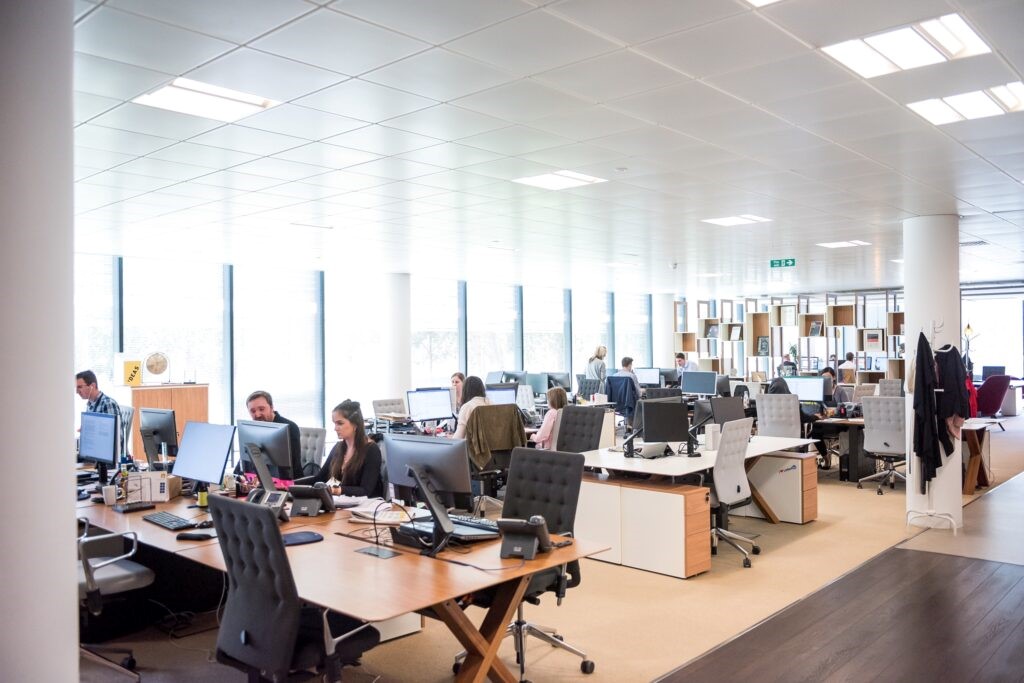
Open-Plan Workspaces: Modern collaborative environments create unique office dirty spots through hot-desking and shared workstation models. Rotating desk users deposit diverse bacterial populations requiring terminal cleaning between occupants. Shared phone docking stations and monitor interfaces accumulate contamination from multiple daily users. Communal power outlets and charging stations concentrate hand contact, creating bacterial hotspots. Standing desk controls and ergonomic furniture adjustments represent additional high-touch office dirty spots.
Call Centers and Customer Service Operations: High-density phone-based work environments intensify office dirty spots around communication equipment. Headset microphones and earpieces contact faces and mouths directly, transmitting respiratory bacteria. Phone receivers and keypads accumulate bacteria from hands and facial contact throughout extended shifts. Keyboard and mouse contamination intensifies from continuous eight-hour usage without cleaning breaks. Shared workstation transitions between shifts require comprehensive sanitization, preventing pathogen transmission between employees.
Educational Administrative Offices: School and university offices experience seasonal contamination spikes aligned with academic calendars. Student interaction zones, including admissions offices and advising centers, accumulate bacteria from hundreds of daily visitor contacts. Shared computer labs and library workstations require between-user sanitization. Administrative keyboards processing student paperwork need daily disinfection during registration and enrollment periods. Faculty lounge break rooms intensify as office dirty spots during academic terms with continuous usage.
Legal and Financial Services Offices: Professional services firms maintain document-intensive workflows, creating office dirty spots around paper handling and file storage. Document scanner surfaces and copier touchscreens concentrate bacteria from multiple daily users. File room light switches and cabinet handles require regular disinfection. Conference room presentation equipment, including remotes and display controls, needs sanitization between client meetings. Lobby and reception areas demand frequent cleaning and maintaining professional impressions for high-value clients.
Get Professional Office Dirty Spots Cleaning Services
Office dirty spots require systematic identification and professional sanitization protocols to protect workplace health. Bacterial contamination levels exceeding 20,000x toilet seat concentrations demand specialized cleaning expertise and commercial-grade disinfectants. Dallas Janitorial Services brings over two decades of office sanitation experience to businesses throughout the Dallas-Fort Worth area. Contact us today at 214-778-3689 for a customized office dirty spots assessment and comprehensive cleaning service planning.
Frequently Asked Questions About Office Dirty Spots
What are the dirtiest office spots that cleaning services often miss?
The dirtiest office spots include computer keyboards (20,000x more bacteria than toilet seats), desktop surfaces (400x more bacteria), computer mice (10,000x more bacteria), and coffee maker water reservoirs (50% contain mold or yeast). Light switches, thermostat controls, and shared equipment buttons represent frequently overlooked office dirty spots that accumulate harmful bacteria from multiple daily contacts without regular sanitization.
Why are office dirty spots more contaminated than restrooms?
Office dirty spots accumulate more bacteria than restrooms because cleaning protocols focus heavily on obvious bathroom contamination while neglecting workspace surfaces. Restrooms receive daily professional sanitization attention, while desktops, keyboards, and break room appliances rarely get proper disinfection. High-frequency surface contact without corresponding cleaning creates ideal bacterial breeding environments. Employees associate restrooms with germs, maintaining heightened cleaning awareness, while office dirty spots appear clean despite dangerous contamination levels.
How do office dirty spots affect employee health and productivity?
Office dirty spots transmit influenza, norovirus, cold viruses, and strep throat infections between coworkers, reducing productivity through illness-related absenteeism. Studies show businesses maintaining comprehensive office dirty spots sanitization experience 30-40% fewer sick days. Subclinical contamination effects include headaches, concentration difficulties, and respiratory irritation, reducing work quality without triggering obvious illness. Persistent odors from bacterial growth cause discomfort and distraction, affecting employee morale and focus.
How often should office dirty spots be professionally cleaned?
Desktop surfaces and keyboards require daily sanitization, removing bacterial accumulation from continuous eight-hour contact. Break room appliances, including coffee makers, microwaves, and refrigerator handles, need twice-daily cleaning during peak usage periods. High-touch surfaces like doorknobs, elevator buttons, and light switches require sanitization every 2-4 hours in high-traffic environments. Comprehensive deep cleaning addressing all office dirty spots should occur weekly, with monthly professional services targeting overlooked contamination zones.
What cleaning products effectively sanitize office dirty spots?
EPA-registered disinfectants with appropriate pathogen kill claims sanitize office dirty spots when used with manufacturer-specified contact times. Isopropyl alcohol solutions (70% concentration) effectively disinfect electronic office dirty spots, including keyboards and mice, through rapid evaporation, preventing moisture damage. pH-neutral cleaners protect desk finish materials while achieving sanitization. Hospital-grade disinfectants address break room office dirty spots, contacting food surfaces. UV-C sanitization devices eliminate bacteria without chemical exposure for sensitive electronic equipment.
Can employees clean the office’s dirty spots themselves, or is professional service required?
Employees can perform basic daily sanitization of personal office dirty spots, including desktops, keyboards, and mice, using appropriate disinfectant wipes and following proper contact time requirements. However, professional cleaning services provide commercial-grade equipment, EPA-registered disinfectants, and systematic protocols ensuring comprehensive contamination elimination. Professional services access overlooked office dirty spots, maintain consistent schedules, prevent bacterial buildup, and use specialized techniques to protect equipment while achieving sanitization. Weekly professional cleaning combined with employee daily maintenance optimizes office dirty spots hygiene.
What makes coffee makers such a dangerous office dirty spot?
Coffee maker water reservoirs create ideal fungal growth conditions through standing water, warm temperatures from brewing cycles, and organic residues from coffee oils, providing microbial nutrition. Studies find 50% of office coffee machines harbor mold or yeast growth in water reservoirs. Minimal cleaning protocols focus on rinsing pots rather than sanitizing internal mechanisms, allowing bacterial and fungal populations to multiply unchecked. Shared communal usage exposes entire office populations to contaminated beverages from these office dirty spots.
How do office dirty spots develop in seemingly clean workspaces?
Office dirty spots develop when multiple employees touch shared surfaces, depositing bacteria, viruses, skin cells, food particles, and respiratory droplets without corresponding cleaning protocols. Bacterial populations multiply in warm, room-temperature environments using organic matter as nutrition. Surfaces appearing visually clean harbor millions of pathogenic bacteria per square inch. Standard dusting removes visible debris without sanitization, leaving bacterial populations intact. Office dirty spots concentrate contamination through continuous high-frequency contact exceeding cleaning frequency creating net bacterial accumulation over time.